
Never Lose Your Work Again: An Intro to Git
Welcome to a new, essential learning block! So far, we've focused entirely on writing code. But what happens to that code after you write it? How do you save your progress, undo mistakes, and, most importantly, work on a project with other people without creating total chaos?
Imagine working on a big test automation project and saving your files like this: TestScript_v1.cs, TestScript_v2_final.cs, TestScript_v3_USE_THIS_ONE.cs. It quickly becomes a nightmare. What if you delete something important by mistake? How do you share your changes with a colleague without overwriting their work?
This is the problem that Version Control Systems (VCS) were created to solve. In this lesson, we'll explore why version control is non-negotiable for professionals and get introduced to Git, the most popular VCS in the world. 🧑💻
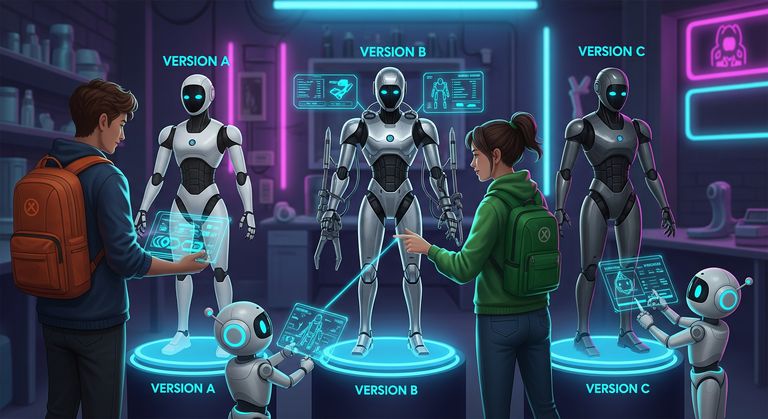
What is Version Control and Why Bother
A Version Control System is, at its heart, a system that records changes to a file or set of files over time so that you can recall specific versions later. For software projects, this means every change to every code file is tracked. Instead of only having the current version of your project, you have access to its entire history.
This provides enormous benefits:
- Complete History: You have a detailed log of every change, who made it, when they made it, and why they made it (via commit messages). This is invaluable for understanding how your project has evolved.
- Collaboration: A VCS is the cornerstone of team collaboration. It provides structured ways for multiple people to work on the same codebase simultaneously, manage their changes, and merge them together.
- Branching and Experimentation: This is a superpower. You can create a safe, isolated "branch" or copy of your project to experiment with a new feature or a difficult bug fix. If it works, you can merge your changes back into the main project. If it's a disaster, you can simply delete the branch with no impact on the stable codebase.
- Traceability: When a bug is introduced, you can use the VCS history to pinpoint exactly which change caused the issue, making debugging much easier.
- Disaster Recovery: Did you accidentally delete a critical file or make a change that broke everything? With a VCS, reverting your project to a previous, known-good state is often a single command away. It's the ultimate undo button.
Using a Version Control System like Git is not optional in any professional software or test automation environment. It is a fundamental skill for collaborative, safe, and efficient development.
Centralized vs Distributed Systems
To understand why Git is so popular, it helps to know about the two main types of version control systems.
Centralized Version Control Systems (CVCS)
Older systems like Subversion (SVN) or Team Foundation Version Control (TFVC) are centralized. This means there is a single, central server that contains all the versioned files, and developers "check out" files from that central server to work on them.
- Analogy: Think of a library with a single, central librarian. To edit a book, you must check it out from the librarian. The entire history lives on that one central server.
- Limitation: If the central server goes down, nobody can check in their changes, check out files, or collaborate. The single server is a single point of failure.
Distributed Version Control Systems (DVCS)
This is where Git and other modern systems like Mercurial come in. In a DVCS, instead of just checking out the latest version of the files, every developer clones a full copy of the entire repository, including its complete history.
- Analogy: Imagine a team of scientists, and each member keeps their own complete notebook with all the experiments ever conducted by the group – including notes, data, and outcomes. They're free to jot down new ideas, run experiments, or revise past results anytime, even away from the lab. When someone discovers something useful, they can meet up with the team and share their updates so others can integrate them into their notebooks too.
- Benefits: This approach is much more resilient (if the main server is down, you still have your full local copy), faster for most operations (since the history is local), and allows for more flexible workflows (like working offline).
Git is the most popular Distributed Version Control System in the world, and its speed and flexibility are key reasons for its widespread adoption.
Meet Git – Your Project's Time Machine
So, let's formally introduce Git. It's a free, open-source DVCS created by Linus Torvalds (the same creator of the Linux operating system) in 2005. It was designed for speed, data integrity, and support for distributed, non-linear workflows.
Git's core philosophy is a bit different from many older systems. It thinks of its data as a series of snapshots of a miniature filesystem. Every time you save your work by making a commit, Git essentially takes a picture of what all your files look like at that moment and stores a reference to that snapshot. It doesn't just store the differences between files (though it's very efficient about how it stores unchanged files).
Here are three core Git terms you need to know right away:
- Repository (or "Repo"): This is the database that contains all the files, history, and version information for your project. On your local machine, this is represented by a hidden folder named
.gitinside your main project directory. - Commit: A snapshot of your project at a specific point in time. A commit is an atomic operation – it saves the state of all your tracked files at once. Each commit has a unique ID and a descriptive message explaining the change. This creates a point in history you can always return to.
- Hash: The unique ID for a commit. It's a 40-character string generated by a cryptographic algorithm called SHA-1 (e.g.,
1a410efbd13591db07496601ebc7a059dd55cfe9). You'll often see it represented by a shorter, 7-character version.
Thinking of your project history as a series of secure, unique snapshots is key to understanding how Git works.
Git vs GitHub (A Crucial Distinction)
This is one of the most common points of confusion for newcomers, so let's make it crystal clear.
What Git Is
Git is the version control software itself. It's a command-line tool that you install and run on your local machine. It's the engine that tracks changes, creates commits, and manages branches. When you type commands like git add or git commit, you are using Git.
What GitHub Is
GitHub (and similar services like GitLab, Bitbucket, or Azure DevOps Repos) is a web-based hosting service for Git repositories. It's a place on the internet to store your project's repository and its entire history. GitHub builds on top of Git to provide powerful features for collaboration:
- A central place to store and back up your code.
- Tools for code reviews (Pull Requests).
- Issue tracking and project management boards.
- Automation (GitHub Actions, which can run your tests!).
- A social platform for developers to showcase their work.
Here's the simplest analogy:
Git is to GitHub as Microsoft Word is to OneDrive.
You use Microsoft Word (the software, like Git) on your computer to write a document. Then, you can upload and store that document on OneDrive (the web service, like GitHub) to back it up, share it with others, and collaborate on edits.
You use Git locally to manage your project's history, and you use a service like GitHub to share that history with others and collaborate as a team.
Key Takeaways
- A Version Control System (VCS) is essential software that tracks the history of changes in your project files, enabling collaboration, experimentation, and recovery from mistakes.
- Git is a Distributed Version Control System (DVCS), meaning every developer has a full copy of the project's history on their local machine.
- A Git repository stores your project's history as a series of snapshots called commits, each identified by a unique hash.
- Git is the command-line tool you run locally, while GitHub is a web-based service for hosting your Git repositories and collaborating with others.
- Learning Git is a non-negotiable, fundamental skill for any professional in the software industry, including test automation engineers.